Unauthorized in-app purchases by children get refunded to the parent almost every time, and you carry the cost
When a child buys a coin pack on a parent's phone, both Apple and Google refund it and neither one asks you first. Regulators built it that way. Here is how these unauthorized in-app purchase refunds work on each store, the 15-minute window where the money goes, and what one actually costs you.
Key takeaways
- Both stores refund a child's unauthorized in-app purchase to the account holder, and neither refund flow asks the developer for evidence first. Apple decides on reportaproblem.apple.com, and Google refunds inside its own policy.
- A parent can report an unauthorized Google Play charge for up to 120 days after it posts, far past the 48-hour self-service window, so a child's purchase can reverse months after the sale.
- Regulators forced this. Apple settled with the FTC for at least 32.5 million dollars in 2014 and Google for at least 19 million dollars, both required to fully refund children's unauthorized charges and to get express consent before billing a parent again.
- The 15-minute password window is where most of these purchases happen. Under Apple's Require After 15 Minutes setting, one password entry authorizes every purchase for the next 15 minutes, which is the exact gap the FTC cases turned on.
- You cannot contest a child's refund, but you can shrink the loss. A spent consumable is a full write-off, while a non-consumable or a canceled subscription you can revoke costs you only what you already spent delivering it.
- If the parent disputes with the bank instead of the store, it becomes a chargeback. That is bank-final, and on Google Play orders after August 3, 2026 it also bills you the purchase price less Play's fee plus the bank's chargeback fee.
- Ask to Buy on the App Store and purchase approvals on Google Play stop the purchase before it happens, but the family turns them on, not you. Your only lever is a purchase flow that a stray tap cannot complete.
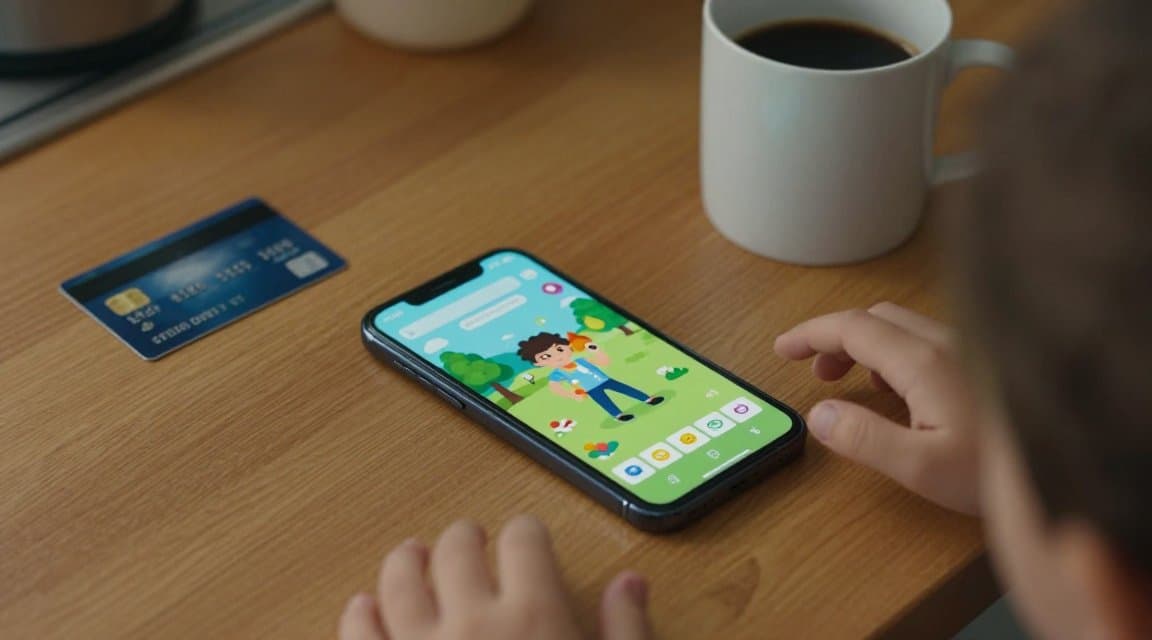
Hand a child an unlocked phone with your game on it and, in a few taps, they can buy the biggest coin pack you sell. When the parent finds the charge, the store refunds it, and there is almost nothing you can do to stop that refund. Unauthorized in-app purchases by children are one of the few refund categories where both Apple and Google are built to side with the customer, because regulators made them build it that way. Here is how these refunds work on each store, why you rarely get a say, and where the real money leaks.
This is not a fraud ring or a serial abuser. It is a five-year-old who found the buy button, and a parent who sees a charge they never approved. The store treats that parent as someone who was billed without consent, and the law behind that treatment is settled. Your job is not to fight these refunds. It is to understand which ones cost you real money and to stop the tap that starts them.
Why a child's purchase is almost always refunded
The outcome is lopsided on purpose. When a parent says a charge was their child's and they did not authorize it, the store's default is to give the money back, and the developer is not part of that decision.
The two stores are built to side with the parent
This is not goodwill. In 2014 the US Federal Trade Commission settled with Apple for a minimum of 32.5 million dollars and with Google for a minimum of 19 million dollars over children's in-app charges that parents never approved. Amazon later paid out tens of millions more. Every settlement required the same two things: full refunds for the unauthorized charges, and express, informed consent from the account holder before billing them for in-app purchases. The refund machinery you are up against was written into consent decrees, so a parent reporting a child's purchase is walking through a door the government told the stores to build.
Neither refund flow asks you first
Across the App Store and Google Play there are only two refund flows that ever pause and ask the developer for evidence: Apple's CONSUMPTION_REQUEST and Google Play's chargeback review through orders.reviewrefund. A child's unauthorized purchase does not travel through either one by default. The parent reports it, the store decides, and you find out after the fact from a refund notification or a voided purchase. There is no window in which anything you send changes the result.
How each store handles an unauthorized purchase by a child
The two stores reach the same place, the parent gets refunded, but they get there through different doors and on different clocks.
| Question | App Store | Google Play |
|---|---|---|
| Where the parent asks | reportaproblem.apple.com | Play Store or Google Play Help, under the Family group |
| Self-service refund window | Apple reviews the request and decides case by case | 48 hours to refund straight from the Play Store |
| Unauthorized-charge reporting | Reported to Apple, who decides | Up to 120 days after the charge to report it as unauthorized |
| Who decides | Apple | Google, or you for developer-discretion requests after 48 hours |
| Your input | None; you see a REFUND notification | None on the store refund; a voided purchase lands afterward |
| Can you refuse | No | Only a discretion request that reaches you after 48 hours, and Google can still refund it |
Apple: the parent reports, you learn from a notification
On the App Store the parent goes to reportaproblem.apple.com, picks the purchase, and asks for a refund. Apple reviews it and typically posts an update within 24 to 48 hours. A family organizer can file the request for any member of their Family Sharing group, so a parent can refund a child's buy from their own account. Apple decides. Your server receives a REFUND notification when the money is gone and a REFUND_DECLINED when it stayed, and that is the whole of your involvement.
Google Play: 48 hours to self-serve, 120 days to call it unauthorized
Google Play gives the buyer a 48-hour window to refund most purchases straight from the store with no one else involved. That is the fast path a parent uses the moment they spot the charge. Past 48 hours the store points them to you for a discretion refund, but a purchase a child made without permission has a second, much longer door: Google lets an account holder report an unauthorized charge for up to 120 days after it posts. Report it there and Google handles the refund under its own policy, not yours, and it shows up in your reports as a voided purchase you never got to weigh in on.
The 15-minute window where the money actually goes
Almost none of these purchases happen because a child knew a password. They happen because a parent entered one minutes earlier. Apple's purchase setting has two states: Always Require, which asks for the password on every single purchase, and Require After 15 Minutes, which skips the prompt for 15 minutes after the last time it was entered. If a parent unlocks a purchase to buy one thing, hands the phone to a child, and the child keeps tapping Buy, every purchase in that 15-minute window goes through with no further check. Face ID and Touch ID close this gap because they are required on every transaction, but a device set to a shared password does not.
You do not control that setting. But knowing it explains the pattern you see in your data: not one purchase, but a burst of them from a single account inside a few minutes, often the largest packs you sell, followed weeks later by a refund or a chargeback for the whole run.
What an unauthorized in-app purchase refund costs you
Not every refund on this list costs the same. The price the customer paid comes back to them, the store reverses its own commission, and what you actually lose depends on what you had already spent by the time the refund landed.
A spent consumable is a total loss
If the child bought a consumable, a coin pack, a gem bundle, a batch of credits, and any of it was spent before the refund, that value is gone. The store returns the price and its cut, but the compute, the API calls, and the content you delivered are costs you already paid and cannot claw back. A refunded consumable is the one case where the refund reverses the sale but not your spend. A non-consumable, a lifetime unlock or an ad removal, is kinder: you can revoke the entitlement, so your loss is close to zero. A subscription you can cancel and revoke sits in between.
A chargeback is worse than the refund
The worst version of a child's purchase is the one where the parent skips the store and calls the bank. That is a chargeback, and it is bank-final: no store review, no appeal, no developer window. It also costs more. A store refund returns the price and the commission, so it nets close to your delivery cost. A chargeback on a Google Play order placed after August 3, 2026 moves the purchase price, less Play's service fee, plus the bank's chargeback fee onto you. So the same disputed coin pack costs you less as a refund than as a chargeback, which is the rare case where you would rather the parent used the store's refund button than their bank's.
What you can and cannot do about it
Be honest about the levers. You cannot win the refund, so do not build a process around fighting it. Spend the effort where it moves money: stopping the accidental purchase and reading the pattern.
You cannot contest it
There is no evidence you can send that reverses a child's refund on either store. Apple does not ask, and Google's own policy grants it. Treat these as store-decided, the same bucket as a 48-hour self-service refund, and keep them out of the numbers you use to judge your product. A refund a child triggered says nothing about whether your app is good.
You can stop a stray tap from spending
The purchase you never triggered is the cheapest one to prevent. Do not stack purchase prompts where a second tap lands on a Buy button. Put a clear confirmation in front of your highest-value packs, so the most expensive mistakes need a deliberate second action. Do not design a store that rewards fast, repeated tapping with real charges. None of this fights the refund. It stops the purchase that becomes the refund.
You can tag every purchase to the account
You can also see the pattern coming if you label purchases by account. Apple's appAccountToken and Google's obfuscatedAccountId let you tie each purchase to a stable, non-personal account id, so a burst of high-value buys from one account in a few minutes is visible before the refund or chargeback arrives. That will not stop the refund, but it tells you which accounts to watch and gives your later chargeback evidence, on the one Google flow that asks for it, a coherent story.
The short version
A child's unauthorized in-app purchase is a refund you were never going to win, on either store, by design. The store sides with the parent because regulators told it to, the money can come back up to 120 days later on Google Play, and the only version that costs you extra is the one that arrives as a chargeback. Put these refunds in the store-decided column, stop counting them against your product, and spend your effort on the purchase flow, because the tap you prevent is the only part of this you actually control.
Frequently asked questions
- Can I refuse to refund a purchase my customer says their child made?
- On the App Store, no. Apple decides the refund and never asks you. On Google Play you can decline a developer-discretion request that reaches you after the 48-hour window, but Google can still refund it under its own policy, and refusing a legitimate one often pushes the parent to their bank, which turns it into a chargeback that costs you more.
- How long does a parent have to report an unauthorized purchase?
- On Google Play a parent can report an unauthorized charge for up to 120 days after it posts, well beyond the 48-hour self-service refund window. On the App Store there is no fixed developer step; the parent files on reportaproblem.apple.com and Apple decides, usually posting an update within 24 to 48 hours.
- Do I get my money back if the child already spent the coins?
- No. A refund reverses the price the customer paid, not the compute or content you already delivered. A spent consumable is a full loss on your side even though the store returns its commission. A non-consumable or a subscription you can revoke costs you far less, because you take the entitlement back.
- Does Ask to Buy or Google's purchase approval stop these purchases?
- Yes, when the family turns it on. Ask to Buy is on by default for Apple accounts of children under 13 and can be enabled for anyone under 18, and it blocks a purchase until a parent approves it. Google's purchase approvals work the same way through Family Link. The family enables them, not the developer, so you cannot rely on them being on.
- Should a child's refund count against my refund rate?
- No. It lands in your refund and voided-purchase reports like any other refund, but it is not a signal about your product. Separate store-decided refunds, including children's unauthorized purchases, from the ones that actually judge your app, and measure your save rate only on the two contestable flows.
- What can I actually do about it as a developer?
- You cannot contest the refund. You can design a purchase flow that a stray tap cannot complete, avoid stacking purchase prompts, confirm high-value buys, and tag each purchase to a stable account id so you can spot a burst of buys from one account before the refund or chargeback arrives.
Sources and further reading
- Apple Support: Approve what kids buy and download with Ask to Buy (default on under 13, opt-in under 18, approve or decline before the purchase completes)
- Apple Support: Require a password for purchases in the App Store and other Apple services (Always Require vs Require After 15 Minutes; Face ID or Touch ID required every transaction)
- Apple Support: Request a refund for apps or content that you bought from Apple (reportaproblem.apple.com; family organizer can request for a family member; 24 to 48 hour update)
- Google Play Help: Learn about Google Play refund policies (48-hour self-service window, one refund per app, developer discretion after 48 hours)
- Google Play Help: Request a refund on Google Play (request a refund; report an unauthorized charge for up to 120 days after the transaction)
- US Federal Trade Commission: Google to Refund Consumers at Least 19 Million Dollars to Settle FTC Complaint on Children's Unauthorized In-App Charges (2014; full refunds and express informed consent required)
- Google Play Console Help: Updates to refund protection and chargeback cost responsibility (the August 3, 2026 chargeback fee shift)
RefundHalt
The refund autopilot for the App Store and Google Play
Keep reading
You never owned the app refund tax, so a refund costs you your share, not the total on the receipt
Refund an in-app purchase and the receipt shows the price plus tax going back. The tax was never your money. Apple and Google collect and remit it as the merchant of record, then reverse it on a refund without touching your share. Here is what a refund actually costs, and the one setup where the tax becomes yours.
Every subscription upgrade refund is the store's decision, not yours, and it comes straight out of your proceeds
When a customer moves to a higher tier, the store issues a subscription upgrade refund for the unused days on the old plan, and it reduces your proceeds automatically. Here is how upgrade refunds work on the App Store and Google Play, and why Apple keeps the amount off your server.